
Close Menu
Enterprise Communicate – Discover IT Services BenefitsEnterprise Communicate – Discover IT Services Benefits
  • Business
  • Communication
  • Legal
  • Management
  • Marketing
  • Property
  • Technology

Subscribe to Updates

Get the latest creative news from FooBar about art, design and business.

What's Hot

How Rental Properties Can Generate Passive Income

August 11, 2026

How to Use Temporary Fencing for Efficient Crowd Control During Big Events

August 1, 2026

Behavioral Marketing Techniques That Drive Higher Conversions

July 15, 2026
Facebook X (Twitter) Instagram
  • Mail us
Enterprise Communicate – Discover IT Services BenefitsEnterprise Communicate – Discover IT Services Benefits
  • Business
  • Communication
  • Legal
  • Management
  • Marketing
  • Property
  • Technology
Enterprise Communicate – Discover IT Services BenefitsEnterprise Communicate – Discover IT Services Benefits
Home»Business»How To Keep Your Engraving Machinery In Excellent Condition
Business

How To Keep Your Engraving Machinery In Excellent Condition

Josie SimonBy Josie SimonAugust 15, 2023No Comments3 Mins Read

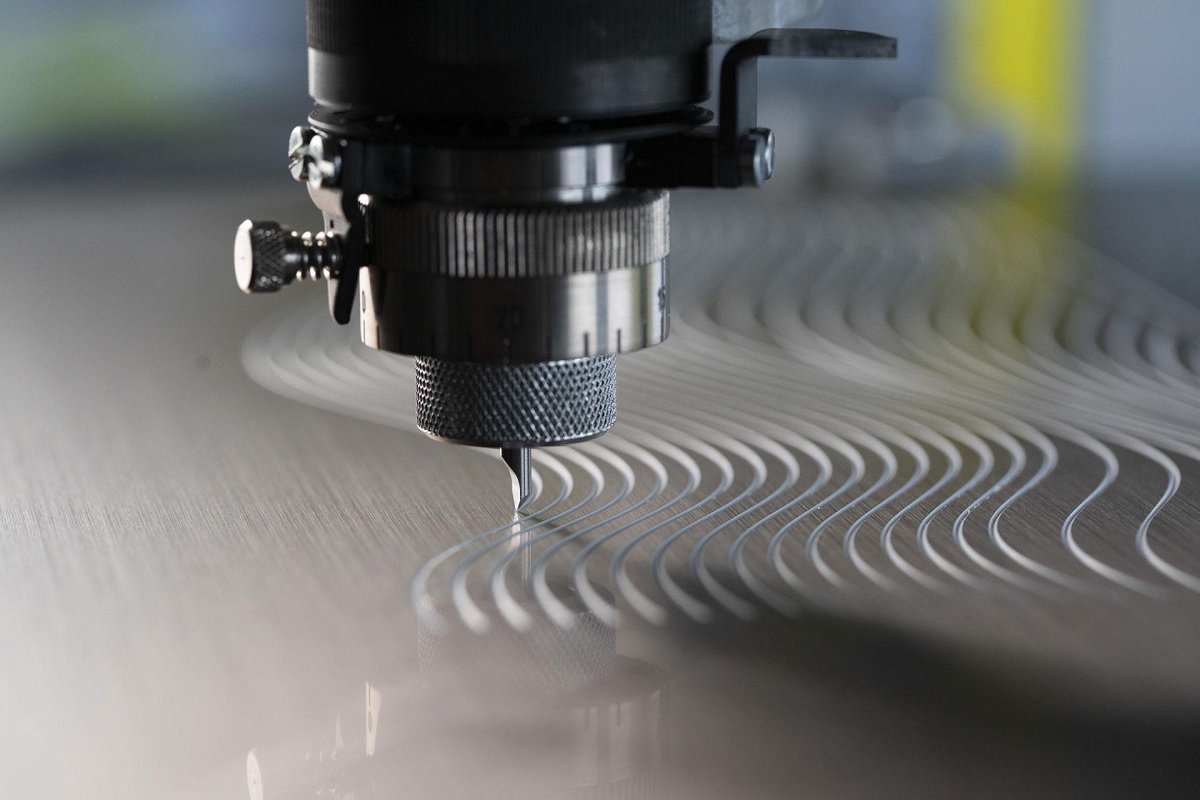
Engraving machinery plays a crucial role in various industries, from crafting intricate designs on jewellery to adding serial numbers on industrial parts. Proper maintenance is essential to ensure these machines’ longevity and efficiency. This guide will delve into the key steps to keep your engraving machinery in excellent condition, allowing you to produce high-quality results consistently.

Regular Cleaning

Regular cleaning forms the foundation of an engraving machinery maintenance. Dust, debris, and residue can accumulate over time, reducing performance and increasing the chances of potential breakdowns. Start by unplugging the engraving machine for metal and using compressed air to remove loose particles from the moving parts, crevices, and corners. Use a soft brush or vacuum attachment to remove finer dust. Use mild, non-abrasive cleaners on surfaces and components for a thorough clean, ensuring you follow the manufacturer’s recommendations.

Lubrication

Proper lubrication is vital for the smooth operation of engraving machinery. Consult the machine’s manual to identify the points that require lubrication and the type of lubricant to use. Regularly apply the appropriate lubricants to ensure that moving parts, such as rails, bearings, and spindles, function seamlessly. Over-lubricating can also be harmful, so follow the manufacturer’s guidelines to maintain the right balance.

Alignment & Calibration

Maintaining precise alignment and calibration is essential for achieving accurate engraving results. Check and adjust the machine’s alignment regularly, especially if it has been moved or transported. Utilize the built-in calibration tools or follow the recommended calibration process outlined in the manual. Incorrect alignment can lead to skewed engravings, uneven depths, and poor-quality outcomes.

Check & Tighten Fasteners

Vibrations and prolonged usage can cause screws, bolts, and other fasteners to loosen over time. Regularly inspect and tighten these fasteners to prevent parts from shifting or misaligning during operation. This simple step can avoid potential accidents and maintain the stability of your engraving machinery.

Dust & Debris Management

Engraving processes generate a significant amount of dust and debris. Installing effective dust collection systems can prevent these particles from settling on delicate components and causing damage. Regularly empty and clean the dust collection bins or filters to ensure efficient dust management. Keeping the environment clean extends the life of your machinery and contributes to a healthier workspace.

Routine Inspections

Schedule routine inspections of your engraving machinery to identify any signs of wear, damage, or irregularities. Look for unusual noises, vibrations, or changes in engraving quality. Addressing minor issues quickly can prevent them from escalating into more significant problems that require costly repairs. If unsure about a specific aspect of your machinery’s operation, consult the manufacturer’s documentation or seek professional assistance.

Operator Training

Well-trained operators can play a pivotal role in the maintenance of engraving machinery. Ensure your operators receive adequate training to operate the machine correctly, understand its features, and perform basic troubleshooting. It not only prevents accidental damage but also contributes to the overall efficiency of the engraving process.

Environmental Considerations

The operating environment can impact the longevity of your engraving machinery. Extreme temperatures, humidity, and exposure to direct sunlight can all affect its performance. Ideally, position the machinery in a controlled environment that minimizes these factors. Additionally, ensure proper ventilation to prevent overheating, which can lead to premature wear and tear.

Josie Simon

Related Posts

Crisis Playbooks That Work: How Leaders Prepare for Pressure | Hold Brothers Capital

January 6, 2026

Why Stable Policy Is the Foundation of America’s Clean Energy Future with Freedom Forever Solar

January 5, 2026

Eight Tips to Keep Your Daylilies Thriving Year After Year from a Premier Grower of Daylily Plants

December 4, 2025
Top Posts

How Rental Properties Can Generate Passive Income

August 11, 2026

How to Use Temporary Fencing for Efficient Crowd Control During Big Events

August 1, 2026

Behavioral Marketing Techniques That Drive Higher Conversions

July 15, 2026

Communication Management Skills for Effective Leadership

July 6, 2026
Recent Posts
  • How Rental Properties Can Generate Passive Income August 11, 2026
  • How to Use Temporary Fencing for Efficient Crowd Control During Big Events August 1, 2026
  • Behavioral Marketing Techniques That Drive Higher Conversions July 15, 2026
  • Communication Management Skills for Effective Leadership July 6, 2026
  • Brand Management Strategies That Build Customer Trust June 17, 2026

2026

  • + August (2)
  • + July (2)
  • + June (1)
  • + May (1)
  • + April (2)
  • + March (1)
  • + January (2)

2025

  • + December (4)
  • + November (2)
  • + October (3)
  • + September (1)
  • + August (6)
  • + July (3)
  • + June (2)
  • + May (1)
  • + April (3)
  • + March (1)
  • + February (2)
  • + January (5)

2024

  • + November (2)
  • + October (4)
  • + July (2)
  • + June (2)
  • + May (2)
  • + March (4)
  • + February (4)
  • + January (4)

2023

  • + December (5)
  • + November (3)
  • + October (1)
  • + September (3)
  • + August (5)
  • + July (6)
  • + June (5)
  • + May (1)
  • + April (4)
  • + March (1)
  • + February (1)
  • + January (6)

2022

  • + December (2)
  • + November (3)
  • + October (4)
  • + September (13)
  • + August (3)
  • + July (7)
  • + June (5)
  • + May (8)
  • + April (2)
  • + February (1)
  • + January (3)

2021

  • + December (7)
  • + October (7)
  • + September (3)
  • + July (1)

2020

  • + December (1)
  • + September (2)
  • + August (2)
  • + July (2)
  • + May (2)
  • + April (1)
  • + March (1)
  • + February (3)
  • + January (1)

2019

  • + December (1)
  • + November (3)
  • + October (3)
  • + September (3)
  • + August (3)
  • + July (7)
  • + June (3)
  • + May (4)
  • + April (4)
  • + March (6)
  • + February (10)
  • + January (5)

2018

  • + December (4)
  • + November (5)
  • + October (4)
Categories
  • Auto (5)
  • Business (139)
  • Communication (8)
  • Event (1)
  • Finance (18)
  • Legal (7)
  • Management (10)
  • Marketing (11)
  • News (6)
  • Property (9)
  • Technology (40)
  • Trading (5)
  • Mail us
© 2025 - Enterprisecommunicate.com- All Rights Reserved.

Type above and press Enter to search. Press Esc to cancel.